
-
Shop
My Brightspeed
Support
- Small Business
.png)


Internet speed test
Test the speed of your home internet connection.
Check your speed now
To test your fastest speed, connect directly to your modem via an Ethernet cable.
If you’re using a VPN, disconnect it before you test.

How to improve your speed
A speed test is a snapshot in time. If you aren't satisfied, check your equipment and settings and run the test again.

See your purchased speed & check for upgrades
Brightspeed customer?
Check for new service speeds
Not a Brightspeed customer yet?
Understanding internet speed test results
Download speed is the rate at which information travels from the internet to your devices (like a phone or laptop). It affects things like:
- Streaming video or music
- Browsing social media
- Downloading games, movies, or other big files
Because most people download more data than they upload, download speed tends to be very noticeable. Web pages load quickly, downloads are done before you know it, and you can enjoy HD video streaming without buffering.
Upload speed is the rate at which information travels from your device to the internet. It affects things like:
- Video calls, including working from home
- Multiplayer gaming
- Using remote collaboration apps
- Creating and streaming your own content
While upload speed doesn’t get the attention that download speed does, it can be just as critical for many users. Your upload speed is especially important for video quality when you’re streaming content or using video call apps. It also matters for multiplayer gaming, although it’s not as important as latency/ping.
Latency, also called ping, is the time it takes data to travel between your device and the internet. A low-latency connection is essential for gaming and video calls, so consider it a must if you work remotely or play multiplayer online games. If your internet use is mostly everyday web browsing and streaming, a low-latency connection will still feel faster and smoother overall, but you might not notice the difference as much.
Jitter is a measure of how much your latency changes. A high jitter has many of the same effects as high latency, but it can have more stop-and-go effects, so your connection may be fine one minute but frustratingly unresponsive the next. Jitter is most noticeable in gaming and video calls, much like latency.
- The internet speed test identifies the network server closest to you. You’ll see the network name in the lower right-hand corner of the testing window.
- Your device sends a "packet" of information is sent from your device to the server and back. The amount of time it takes for that information to make the trip is your latency, or ping.
- Next, the speed test downloads and uploads a packet of data over that connection. How quickly your internet can transfer that data from the network to your device and from your device back to the network determines your download and upload speed.
- Check your upload speed, download speed, ping, and jitter in the data provided.
A speed test measures how quickly data flows to and from the specific device you’re using to run the test. That may not necessarily be your home’s full internet capacity. All of the following factors can affect your internet speed test results:
- Wi-Fi vs. Ethernet: Wi-Fi connections are more susceptible to various kinds of interference. For the most accurate results, run the test on a computer connected via Ethernet.
- Distance and Obstacles: When you run a Wi-Fi test, keep in mind that your device’s signal strength will drop off as you get farther from the router.
- Network Congestion: If other people on your network are using a lot of bandwidth when you run the test, your individual device’s results will be lower.
If your numbers look lower than expected, try moving closer to your Wi-Fi point or switching to a wired cable to see your network's full potential.
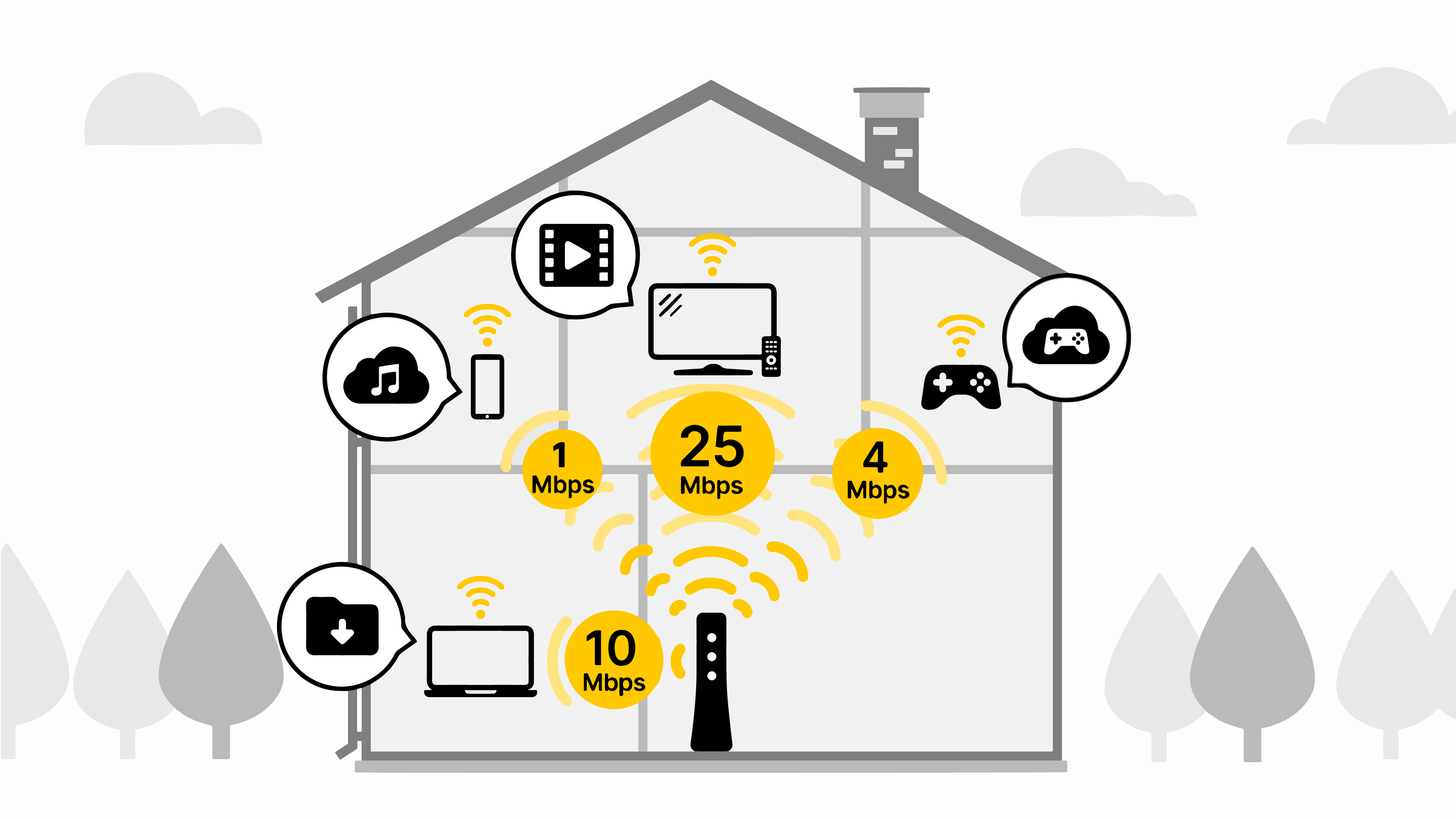
Below are recommended speeds for common activities. Learn more about what internet speed you need for different activities.
| Download Speed | Activities |
| 1.5 Mbps or less | General browsing, email, social media, music streaming, video chat |
| 3 - 4 Mbps | SD Video streaming |
| 10 Mbps | HD Video streaming & group video calls |
| 5 - 8 Mbps | Large file downloads |
| 25 Mbps or less | Remote work or learning (varies by activity) |
| 25 Mbps or more | 4K (UHD) Video streaming |
The best internet speed for you depends on:
- The number of people who use your internet connection at the same time
- The number of devices in use at once
- What you use your internet for (Basic web browsing vs. gaming or streaming)
If your internet speed isn’t meeting your needs, try the tips in these guides:
Thinking about upgrading your internet service? Here’s some resources that can help:
Brightspeed services support


